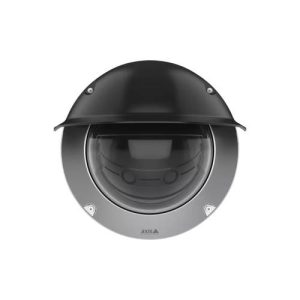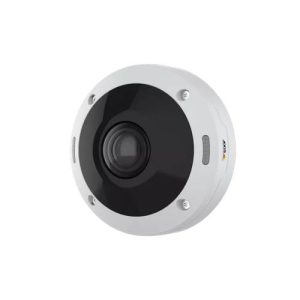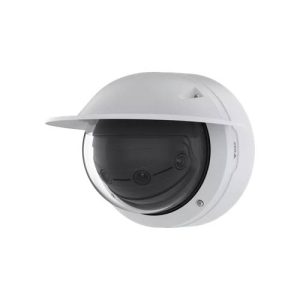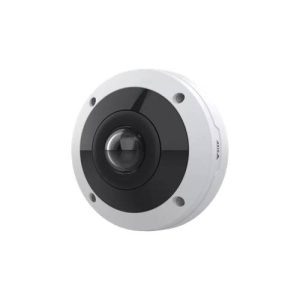
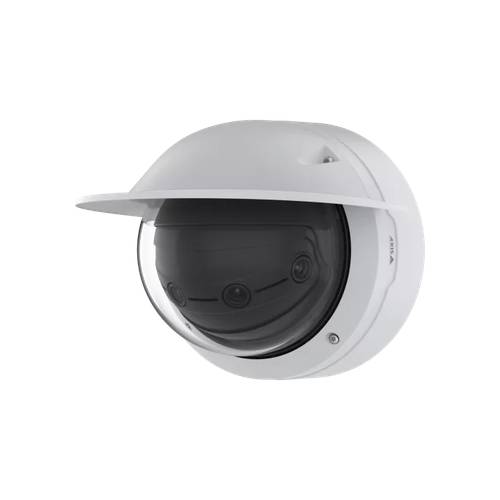
【AXIS】 Q4809-PVE ネットワークカメラ
AXIS Q4809-PVE Panoramic Camera
AXIS Q4809-PVE は、AXIS のネットワークカメラです。
この製品の特徴
- イメージセンサー|4 x 12 MP 1/2.3” progressive scan RGB CMOS Pixel size 1.55 µm Lens
- レンズ|5.0 mm, F1.7 Horizontal field of view: 180° Vertical field of view: 45°
- 最低照度|Color: 0.1 lux at 50 IRE, F1.7 B/W: 0.03 lux at 50 IRE, F1.7 Shutter speed


AXIS Q4809-PVE の概要
AXIS Q4809-PVE は、ネットワーク経由で映像を確認できる AXIS のネットワークカメラです。イメージセンサーは 4 x 12 MP 1/2.3” progressive scan RGB CMOS Pixel size 1.55 µm Lens です。仕様の詳細は下の仕様表をご覧ください。すでに設置されている機器との組み合わせや、増設のご相談も承ります。
カメラ・レンズ性能
レンズは 5.0 mm, F1.7 Horizontal field of view: 180° Vertical field of view: 45° です。解像度は 10240×2560 to 512×256 Frame rate Up to 25/30 fps (50/60 Hz) in all resolutions1 まで設定できます。最低照度は Color: 0.1 lux at 50 IRE, F1.7 B/W: 0.03 lux at 50 IRE, F1.7 Shutter speed です。必要な画質は「人がいることが分かればよい」のか「顔や文字を判別したい」のかで変わります。用途をお聞かせいただければ、必要な画角と台数をご提案します。
設置環境と電源
電源は Power over Ethernet (PoE) IEEE 802.3af/802.3at Type 2 Class 4 Typical 9.74 W, max 19.1 W です。PoE給電に対応する機種であれば、LANケーブル1本で給電と通信をまかなえます。既設のスイッチングハブが必要な電力を供給できるかは、設置前にご確認ください。
AXIS Q4809-PVE の録画について
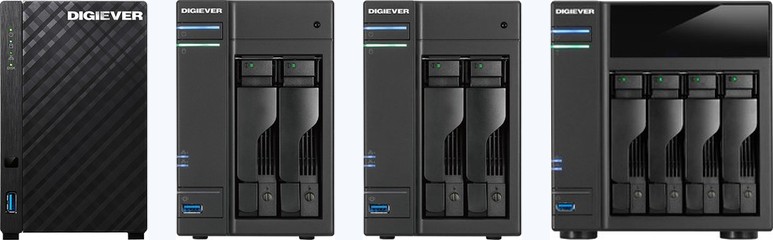
映像はネットワーク経由で録画機器や録画ソフトウェアに保存できます。メーカーの異なる録画機と組み合わせられる場合もあります。お使いの録画機の型番と台数をお知らせいただければ、接続可否を確認してお伝えします。対応が確認できている機種は DIGISTOR 対応カメラ一覧 にまとめています。
AXIS Q4809-PVE の増設・入れ替えのご相談
AXIS Q4809-PVE の増設や、他機種への入れ替えをご検討の際はご相談ください。現在お使いのカメラの型番と台数、録画機の機種をお知らせいただければ、接続できる構成をこちらで確認してお伝えします。機器の手配から設置・カメラ登録・録画設定・お引き渡しまで対応します。
故障・交換のご相談と型番の調べ方はこちら ›
| 型式 | AXIS Q4809-PVE |
|---|---|
| カメラ部 | |
| イメージセンサー | 4 x 12 MP 1/2.3” progressive scan RGB CMOS Pixel size 1.55 µm |
| レンズ | 5.0 mm, F1.7 Horizontal field of view: 180° Vertical field of view: 45° Fixed iris |
| デイナイト | Automatic IR-cut filter |
| 最低照度 | Color: 0.1 lux at 50 IRE, F1.7 B/W: 0.03 lux at 50 IRE, F1.7 |
| シャッタースピード | 1/100000 s to 1/2 s Camera adjustment Pan ±176°, tilt 20° to 88°, roll ±7° System on chip (SoC) Model ARTPEC-8 (x2) Memory 4096 (x2) MB RAM, 8192 MB Flash Compute capabilities Deep learning processing unit (DLPU) |
| 映像 | |
| 映像圧縮方式 | H.264 (MPEG-4 Part 10/AVC) Baseline, Main and High Profiles H.265 (MPEG-H Part 2/HEVC) Main Profile Motion JPEG |
| 解像度 | 10240×2560 to 512×256 |
| フレームレート | Up to 25/30 fps (50/60 Hz) in all resolutions1 |
| 映像ストリーミング | Up to 20 unique and configurable video streams2 Axis Zipstream technology in H.264 and H.265 VBR/ABR/MBR H.264/H.265 Low latency mode Video streaming indicator Signal-to-noise ratio >55 dB WDR Forensic WDR: Up to 120 dB depending on scene |
| マルチビューストリーミング | Up to 6 individually cropped out view areas. 2 statically pre-defined view areas for 10K split view. Noise reduction Spatial filter (2D noise reduction) Temporal filter (3D noise reduction) |
| 画像設定 | Horizon straightening, saturation, contrast, brightness, sharpness, white balance, day/night threshold, local contrast, tone mapping, exposure mode, compression, dynamic text and image overlay, privacy masks, polygon privacy mask Image processing Axis Zipstream, Forensic WDR, Lightfinder 2.0 |
| パン/チルト/ズーム | Digital PTZ Control queue Lossless zoom |
| システム連携 | |
| API | Open API for software integration, including VAPIX®, metadata and AXIS Camera Application Platform (ACAP); specifications at axis.com/developer- community. One-click cloud connection ONVIF® Profile G, ONVIF® Profile M, ONVIF® Profile S, and ONVIF® Profile T, specifications at onvif.org Video management systems Compatible with AXIS Camera Station Edge, AXIS Camera Station Pro, AXIS Camera Station 5, and video management software from Axis’ partners available at axis.com/vms. Onscreen controls Privacy masks Media clip Heater Fan Edge-to-edge Radar pairing Speaker pairing Siren and light pairing |
| イベントアクション | Day-night mode I/O: toggle I/O once, toggle I/O while the rule is active MQTT: publish Notification: HTTP, HTTPS, TCP and email Overlay text Recordings: SD card and network share SNMP traps: send, send while the rule is active Upload of images or video clips: FTP, SFTP, HTTP, HTTPS, network share and email LEDs: flash status LED, flash status LED while the rule is active |
| 設置支援機能 | Remote Pan/tilt/roll: designed to withstand at least 200 full cycles, autoroll, pixel counter, level grid. |
| 映像解析 | Applications Included AXIS Object Analytics, AXIS Scene Metadata, AXIS Video Motion Detection, active tampering alarm, audio detection Supported Support for AXIS Camera Application Platform enabling installation of third-party applications, see axis.com/ acap 3. This product includes software developed by the OpenSSL Project for use in the OpenSSL Toolkit. (openssl.org), and cryptographic software written by Eric Young (eay@cryptsoft.com). AXIS Object Analytics Object classes: humans, vehicles (types: cars, buses, trucks, bikes, other) Scenarios: line crossing, object in area, time in area, cr |
| 一般仕様 | |
| 筐体 | IP66-/IP67-, NEMA 4X- and IK10-rated Aluminum casing, polycarbonate (PC) dome, sunshield (PC/ASA) Color: white NCS S 1002-B For repainting instructions, go to the product’s support page. For information about the impact on warranty, go to axis.com/warranty-implication-when-repainting. Mounting Mounting bracket with junction box holes (double- gang, single-gang, 4” square, and 4” octagon) ¾” (M25) conduit side entries 4. Only supported in resolutions up to 4096×1024 (4:1), 3840×2160 (16:9), and 3840×1920 (2:1) respectively. 5. This product includes software developed by the OpenSSL Project for |
| 電源 | Power over Ethernet (PoE) IEEE 802.3af/802.3at Type 2 Class 4 Typical 9.74 W, max 19.1 W Feature: power meter |
| コネクター | Network: Shielded RJ45 1000BASE-T PoE Audio: 3.5 mm mic/line in I/O: Terminal block for two configurable supervised inputs / digital outputs (12 V DC output, max load 50 mA) |
| ストレージ | Support for microSD/microSDHC/microSDXC card Support for SD card encryption (AES-XTS-Plain64 256bit) Recording to network-attached storage (NAS) For SD card and NAS recommendations see axis.com |
| 動作条件 | -40 °C to 50 °C (-40 °F to 122 °F) Maximum temperature according to NEMA TS 2 (2.2.7): 74 °C (165 °F) Installation temperature: -20 °C (-4 °F)6 Start-up temperature: -40 °C (-40 °F)7 Humidity 10–100% RH (condensing) |
| 保管条件 | -40 °C to 65 °C (-40 °F to 149 °F) Humidity 5–95% RH (non-condensing) |
| 外形寸法 | For the overall product dimensions, see the dimension drawing in this datasheet. Effective Projected Area (EPA): 0.038 m2 (0.12 ft2) |
| 質量 | 3320 g (7.3 lb) Box content Camera, weathershield, installation guide, drill template, connector guard, cable gaskets, conduit adaptor, IO connector, owner authentication key AXIS T8415 Wireless Installation Tool AXIS Surveillance Cards For more accessories, go to axis.com/products/axis- q4809-pve#accessories System tools AXIS Site Designer, AXIS Device Manager, product selector, accessory selector, lens calculator Available at axis.com Languages English, German, French, Spanish, Italian, Russian, Simplified Chinese, Japanese, Korean, Portuguese, Polish, Traditional Chinese, Dutch, Czech, Swed |
| 保証 | 5-year warranty, see axis.com/warranty Part numbers Available at axis.com/products/axis-q4809-pve#part- numbers Substance control PVC free, BFR/CFR free in accordance with JEDEC/ECA Standard JS709 RoHS in accordance with EU RoHS Directive 2011/65/ EU/ and EN 63000:2018 REACH in accordance with (EC) No 1907/2006. For SCIP UUID, see echa.europa.eu Materials Renewable carbon-based plastic content: 32.6% (recycled: 16%, bio-based: 14%, carbon capture based: 2.6%) To read more about sustainability at Axis, go to axis. com/about-axis/sustainability axis.com/environmental-responsibility Axis Communic |
「映らなくなった」「一部のカメラだけ映らない」「同じものを増やしたい」 といったご相談を承ります。他社が設置された機器でも構いません。型番が分かれば、修理の可否、現行の後継機種、他メーカーへの置き換えの可否をお調べしてお伝えします。
AXIS Q4809-PVE に関するよくある質問
AXIS Q4809-PVE の録画におすすめの機材は?
マルチベンダー対応のネットワークビデオレコーダー「DIGISTOR」シリーズをご案内しています。多くのネットワークカメラに対応しますが、同じ型番でもカメラ側のファームウェアやONVIFの対応状況によって、接続可否や使える機能が変わります。お使いのカメラの型番と台数をお知らせいただければ、接続可否と必要な構成をこちらで確認してお伝えします。機器の手配から設置・カメラ登録・録画設定・お引き渡しまで対応します。
防犯カメラ・監視カメラの
トータルソリューションをご提供します
防犯カメラ・監視カメラの選定・設計・施工・保守までワンストップで。
現場の状況と目的に合わせて、最適なセキュリティ環境を構築します。
-
現場に最適化された高精度プランニング

防犯・安全管理・業務効率化など目的ごとに、現場特有の課題まで踏まえた"死角ゼロ"の設計を実現します。
-
技術スタッフによる高品質なワンストップ施工

経験豊富な技術スタッフがワンストップ施工で対応し、配線の美観や耐久性まで考慮した高品質な導入環境を構築します。
-
導入後も安心の運用サポート・保守体制

導入後の故障対応や遠隔設定サポートまで一貫体制で支援し、安心して長期間使い続けられる運用環境を提供します。