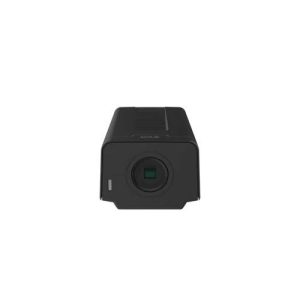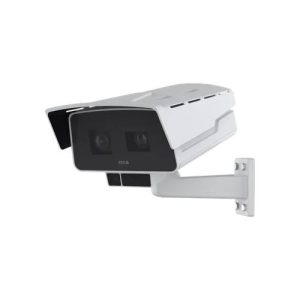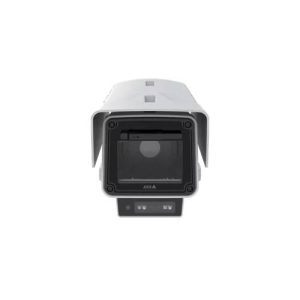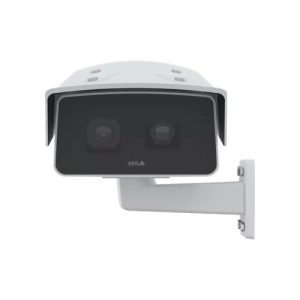
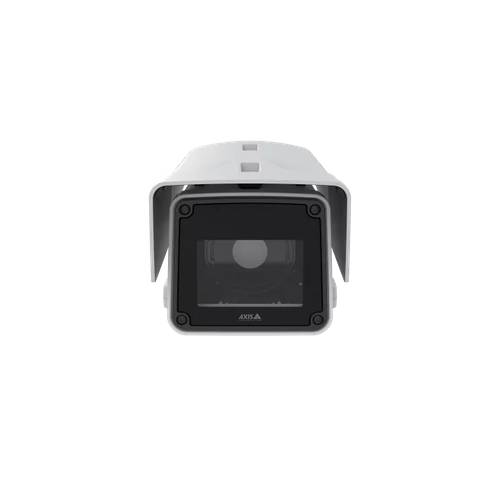
【AXIS】 Q1656-BE ネットワークカメラ
AXIS Q1656-BE Box Camera
AXIS Q1656-BE は、AXIS のネットワークカメラです。レンズは Shutter speed 1/47500 s to 1 s System on chip (SoC) です。
この製品の特徴
- レンズ|Shutter speed 1/47500 s to 1 s System on chip (SoC)
- 解像度|16:9 2688x1512 Quad HD to 160x90 4:3 2016x1512 to 160x120 Frame rate


AXIS Q1656-BE の概要
AXIS Q1656-BE は、ネットワーク経由で映像を確認できる AXIS のネットワークカメラです。イメージセンサーは 1/1.8” progressive scan RGB CMOS Day and night Automatically removable infrared-cut filter です。仕様の詳細は下の仕様表をご覧ください。すでに設置されている機器との組み合わせや、増設のご相談も承ります。
カメラ・レンズ性能
レンズは Shutter speed 1/47500 s to 1 s System on chip (SoC) です。解像度は 16:9 2688×1512 Quad HD to 160×90 4:3 2016×1512 to 160×120 Frame rate まで設定できます。最低照度は 4 MP 25/30 fps with Forensic WDR and Lightfinder 2.0 Color: 0.05 lux at 50 IRE, F1.5 です。必要な画質は「人がいることが分かればよい」のか「顔や文字を判別したい」のかで変わります。用途をお聞かせいただければ、必要な画角と台数をご提案します。
設置環境と電源
PoE給電に対応する機種であれば、LANケーブル1本で給電と通信をまかなえます。既設のスイッチングハブが必要な電力を供給できるかは、設置前にご確認ください。
AXIS Q1656-BE の録画について
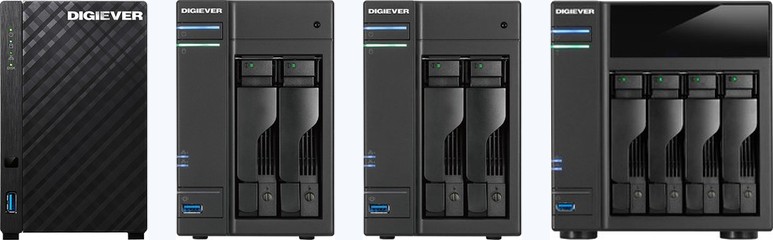
映像はネットワーク経由で録画機器や録画ソフトウェアに保存できます。メーカーの異なる録画機と組み合わせられる場合もあります。お使いの録画機の型番と台数をお知らせいただければ、接続可否を確認してお伝えします。対応が確認できている機種は DIGISTOR 対応カメラ一覧 にまとめています。
AXIS Q1656-BE の増設・入れ替えのご相談
AXIS Q1656-BE の増設や、他機種への入れ替えをご検討の際はご相談ください。現在お使いのカメラの型番と台数、録画機の機種をお知らせいただければ、接続できる構成をこちらで確認してお伝えします。機器の手配から設置・カメラ登録・録画設定・お引き渡しまで対応します。
故障・交換のご相談と型番の調べ方はこちら ›
| 型式 | AXIS Q1656-BE |
|---|---|
| カメラ部 | |
| イメージセンサー | 1/1.8” progressive scan RGB CMOS |
| デイナイト | Automatically removable infrared-cut filter |
| 最低照度 | 4 MP 25/30 fps with Forensic WDR and Lightfinder 2.0 Color: 0.05 lux at 50 IRE, F1.5 B/W: 0.01 lux at 50 IRE, F1.5 4 MP 50/60 fps with Lightfinder 2.0 Color: 0.1 lux at 50 IRE, F1.5 B/W: 0.02 lux at 50 IRE, F1.5 Lens not included |
| シャッタースピード | 1/47500 s to 1 s System on chip (SoC) Model ARTPEC-8 Memory 2048 MB RAM, 8194 MB Flash Compute capabilities Deep learning processing unit (DLPU) |
| 映像 | |
| 映像圧縮方式 | H.264 (MPEG-4 Part 10/AVC) Baseline, Main and High Profiles H.265 (MPEG-H Part 2/HEVC) Main Profile Motion JPEG |
| 解像度 | 16:9 2688×1512 Quad HD to 160×90 4:3 2016×1512 to 160×120 |
| フレームレート | No WDR: Up to 60/50 fps (60/50 Hz) in all resolutions WDR: Up to 30/25 fps (60/50 Hz) in all resolutions |
| 映像ストリーミング | Multiple, individually configurable streams in H.264, H.265 and Motion JPEG Axis Zipstream technology in H.264 and H.265 Controllable frame rate and bandwidth VBR/ABR/MBR H.264/H.265 Low latency mode Video streaming indicator |
| マルチビューストリーミング | Up to 8 individually cropped out view areas |
| 画像設定 | Saturation, contrast, brightness, Forensic WDR: Up to 120 dB depending on scene, white balance, day/night threshold, tone mapping, exposure mode, exposure zones, defogging, barrel distortion correction, electronic image stabilization, compression, rotation: 0°, 90°, 180°, 270° including Corridor Format, mirroring, dynamic text and image overlay, polygon privacy mask Scene profiles: forensic, vivid, traffic overview |
| パン/チルト/ズーム | Digital PTZ, preset positions Uploadable PTZ driver (Pelco D pre-installed) |
| システム連携 | |
| API | Open API for software integration, including VAPIX® and AXIS Camera Application Platform; specifications at axis.com/developer-community. One-click cloud connection ONVIF® Profile G, ONVIF® Profile M, ONVIF® Profile S, and ONVIF® Profile T, specification at onvif.org Onscreen controls Electronic image stabilization Day/night shift Defogging Wide dynamic range Video streaming indicator Heater Event conditions Application Audio: audio detection, audio clip playing Device status: above/below/within operating temperature, casing open, IP address blocked, IP address removed, live stream active, net |
| イベントアクション | Overlay text, external output activation, play audio clip, zoom preset I/O: toggle I/O once, toggle I/O while the rule is active MQTT: publish Notification: HTTP, HTTPS, TCP, and email Pre- and post-alarm video or image buffering for recording or upload PTZ: PTZ preset, start/stop guard tour Record video: SD card and network share SNMP traps: send, send while the rule is active Upload of images or video clips: FTP, SFTP, HTTP, HTTPS, network share, and email |
| 設置支援機能 | Remote back focus, leveling assistant, pixel counter i-CS lens: Remote zoom and focus |
| 映像解析 | Applications Included AXIS Object Analytics, AXIS Scene Metadata, AXIS Image Health Analytics, AXIS Live Privacy Shield 2 AXIS Video Motion Detection Support for AXIS Camera Application Platform enabling installation of third-party applications, see axis.com/ acap AXIS Object Analytics Object classes: humans, vehicles (types: cars, buses, trucks, bikes, other) Scenarios: line crossing, object in area, time in area, crossline counting, occupancy in area Up to 10 scenarios Other features: triggered objects visualized with color- coded bounding boxes Polygon include/exclude areas Perspective conf |
| 一般仕様 | |
| 筐体 | IP66-, IP67-, and NEMA 4X-rated, IK10 impact- resistant aluminum enclosure with integrated dehumidifying membrane IK10 impact-resistant plastic front window weathershield with black anti-glare coating Color: white NCS S 1002-B For repainting instructions, go to the product’s support page. For information about the impact on warranty, go to axis.com/warranty-implication-when-repainting. PVC free, BFR/CFR free, 0% recycled plastics, 5% bio- based plastics |
| 電源 | Power over Ethernet (PoE) IEEE 802.3at Type 2 Class 4 Typical 11.8 W, max 25.5 W 10–28 VDC, typical 11.2 W, max 25.2 W Power redundancy |
| コネクター | RJ45 10BASE-T/100BASE-TX/1000BASE-T PoE Terminal block for two supervised and two unsupervised configurable inputs / digital outputs (12 VDC output, max load 50 mA) RS485/RS422, 2 pcs, 2 pos, full duplex, terminal block DC input, terminal block, 3.5 mm mic/line in, 3.5 mm line out i-CS connector (compatible with P-Iris and DC-iris) |
| ストレージ | Support for microSD/microSDHC/microSDXC card Support for SD card encryption (AES-XTS-Plain64 256bit) Recording to network-attached storage (NAS) For SD card and NAS recommendations see axis.com |
| 動作条件 | -40 °C to 60 °C (-40 °F to 140 °F) Arctic Temperature Control: Start-up at -40 °C ( -40 °F) Maximum temperature according to NEMA TS 2 (2.2.7): 74 °C (165 °F) Humidity 10–100% RH (condensing) |
| 保管条件 | -40 °C to 65 °C (-40 °F to 149 °F) Humidity 5–95% RH (non-condensing) 3. This product includes software developed by the OpenSSL Project for use in the OpenSSL Toolkit. (openssl.org), and cryptographic software written by Eric Young (eay@cryptsoft.com). |
| 外形寸法 | For the overall product dimensions, see the dimension drawing in this datasheet. |
| 質量 | 3.3 kg (7.3 lb) |
| 同梱品 | Sunshield, connector kit, resistorx® T20 tool, installation guide, Windows® decoder 1-user license AXIS T8415 Wireless Installation Tool AXIS Surveillance Cards For more accessories, see axis.com Optional lenses Lens CS 4-10 mm F0.9 P-Iris Lens i-CS 9-50 mm F1.5 8 MP Lens CS 12-50 mm F1.4 P-Iris 8 MP Lens i-CS 1/1.8" 3.9-10 mm F1.5 Video management software AXIS Camera Station and video management software from Axis Application Development Partners available at axis.com/vms Languages English, German, French, Spanish, Italian, Russian, Simplified Chinese, Japanese, Korean, Portuguese, Polish, T |
| 保証 | 5-year warranty, see axis.com/warranty Axis AB in various jurisdictions. All other trademarks are the property of their respective owners. We reserve the right to introduce modifications without notice. |
「映らなくなった」「一部のカメラだけ映らない」「同じものを増やしたい」 といったご相談を承ります。他社が設置された機器でも構いません。型番が分かれば、修理の可否、現行の後継機種、他メーカーへの置き換えの可否をお調べしてお伝えします。
AXIS Q1656-BE に関するよくある質問
AXIS Q1656-BE の録画におすすめの機材は?
マルチベンダー対応のネットワークビデオレコーダー「DIGISTOR」シリーズをご案内しています。多くのネットワークカメラに対応しますが、同じ型番でもカメラ側のファームウェアやONVIFの対応状況によって、接続可否や使える機能が変わります。お使いのカメラの型番と台数をお知らせいただければ、接続可否と必要な構成をこちらで確認してお伝えします。機器の手配から設置・カメラ登録・録画設定・お引き渡しまで対応します。
防犯カメラ・監視カメラの
トータルソリューションをご提供します
防犯カメラ・監視カメラの選定・設計・施工・保守までワンストップで。
現場の状況と目的に合わせて、最適なセキュリティ環境を構築します。
-
現場に最適化された高精度プランニング

防犯・安全管理・業務効率化など目的ごとに、現場特有の課題まで踏まえた"死角ゼロ"の設計を実現します。
-
技術スタッフによる高品質なワンストップ施工

経験豊富な技術スタッフがワンストップ施工で対応し、配線の美観や耐久性まで考慮した高品質な導入環境を構築します。
-
導入後も安心の運用サポート・保守体制

導入後の故障対応や遠隔設定サポートまで一貫体制で支援し、安心して長期間使い続けられる運用環境を提供します。